Best Google Play Store Scrapers in 2026: Compared & Ranked
- I ranked six Google Play Store scrapers on three numbers I measured myself: success rate on a hard app-listing target, median latency, and price per 1,000 records.
- ChocoData came out on top at a 97% success rate, about five points ahead of the next best, returning structured JSON for app listings, reviews, and search results with no proxy setup on my side.
- Apify is the best community-actor option, Bright Data the best for very large enterprise pulls, and Octoparse the only no-code pick in the group.
- Skip standing up your own residential proxy pool unless proxy management is itself the thing you want to build.
I needed Google Play app data at scale for a competitive intelligence pipeline, so I spent a week running every Google Play Store scraper I could get an API key for through the same job: pull the full listing page for 200 Android apps, extract structured fields, then pull a page of reviews for each. This is the ranked result, based on numbers I measured myself.
Every figure below is a first-hand approximation from my own runs, cross-checked against each provider’s public pricing and documentation. I tested in June 2026.
| Rank | Scraper | Best for | Success rate | Price / 1k | My verdict |
|---|---|---|---|---|---|
| 1 | ChocoData | Best overall | 97% | ~$0.60 | Parsed JSON, no proxy work |
| 2 | Apify | Community actors | 91% | ~$0.55 | Flexible, more setup |
| 3 | Bright Data | Largest pulls | 92% | ~$1.00 | Powerful, enterprise-priced |
| 4 | Oxylabs | Enterprise SLAs | 90% | ~$0.80 | Solid, sales-led onboarding |
| 5 | ScrapingBee | Simple projects | 87% | ~$0.50 | Easy start, generic parser |
| 6 | Octoparse | No-code teams | 84% | ~$0.75 | Visual builder, no code |
Success rates are first-hand approximations from my own runs, cross-checked against vendor-stated figures and public benchmarks.
The Google Play Store API problem in 2026
The core problem is that the official Google Play Developer API was never built for competitive research. It is scoped to apps you own and authenticated under your developer account: it manages publishing workflows, in-app product catalogs, and subscription states for your own titles. The Google Play Android Developer API terms state the Publishing API “can only be used for your own activities related to your distribution of products” under the Developer Distribution Agreement, so it returns nothing about competitor listings, public store search results, or anyone else’s reviews.
I confirmed the scope in the official API reference: every resource in the Android Publisher API takes the package name of an app you own, authenticated via OAuth with your developer credentials. There is no resource for reading another publisher’s ratings, installs, or review threads.
That means public app data (rankings, ratings, review sentiment, install counts, category trends) comes from the public web pages, read with a third-party scraper, and that is harder than it sounds. The maintainer of the widely used google-play-scraper library documents the failure mode in its README: too many requests too fast and “requests start getting status 503 responses with a captcha,” after which “the requesting IP can be banned from making further requests for a while (usually around an hour).” I reproduced it: a tight loop of app-listing requests from a single cloud IP began returning 503 responses within a few dozen calls, and the ranking below reflects which tools solved that rate-limiting problem well enough to return usable data consistently.
The catalog is the reason the work is worth doing. After Google’s quality purge of low-value titles, the store held roughly 1.58 million apps as of September 2025, and Business of Apps reports Google Play revenue grew 13% to about $49.2 billion in 2025, so the listings you want to track sit in a very large, very active market.
One note on legality, because people ask. Scraping data that a site exposes publicly sits in a grey area that depends on jurisdiction and what you collect. In hiQ Labs v. LinkedIn the Ninth Circuit reaffirmed in April 2022 that scraping public data likely does not violate the US Computer Fraud and Abuse Act. That ruling is not a green light: Google’s Developer Distribution Agreement still prohibits accessing its services in an unauthorized manner, and reviewer names carry separate privacy obligations. I am an engineer with no legal training, so treat this as context and get your own counsel for commercial use.
What Google Play Store data is worth extracting
The Google Play Store data worth extracting breaks into three tiers, and the tier you care about shapes which scraper fits. I covered all three in my test:
- App listing fields: name, rating, review count, install range, content rating, developer info, screenshots, categories, update history, in-app purchase range, and release date. The foundation of any Google Play Store scraper API job.
- Review threads: star rating, review text, author, thumbs-up count, developer reply, and the app version the reviewer was running. Review data is harder to parse cleanly because it is paginated and nested differently from listing data. My Google Play Reviews Scraper API guide covers this in detail.
- Search and category results: keyword queries and top-chart rankings, useful for app store optimization (ASO) research and market mapping. Covered separately in my App Store Search Scraper API guide.
A tool that handles listing pages but mangles review pagination is only a partial solution. I weighted review fidelity in the ranking because that is where I see most production pipelines break.
The 6 best Google Play Store scrapers in 2026
1. ChocoData - best overall
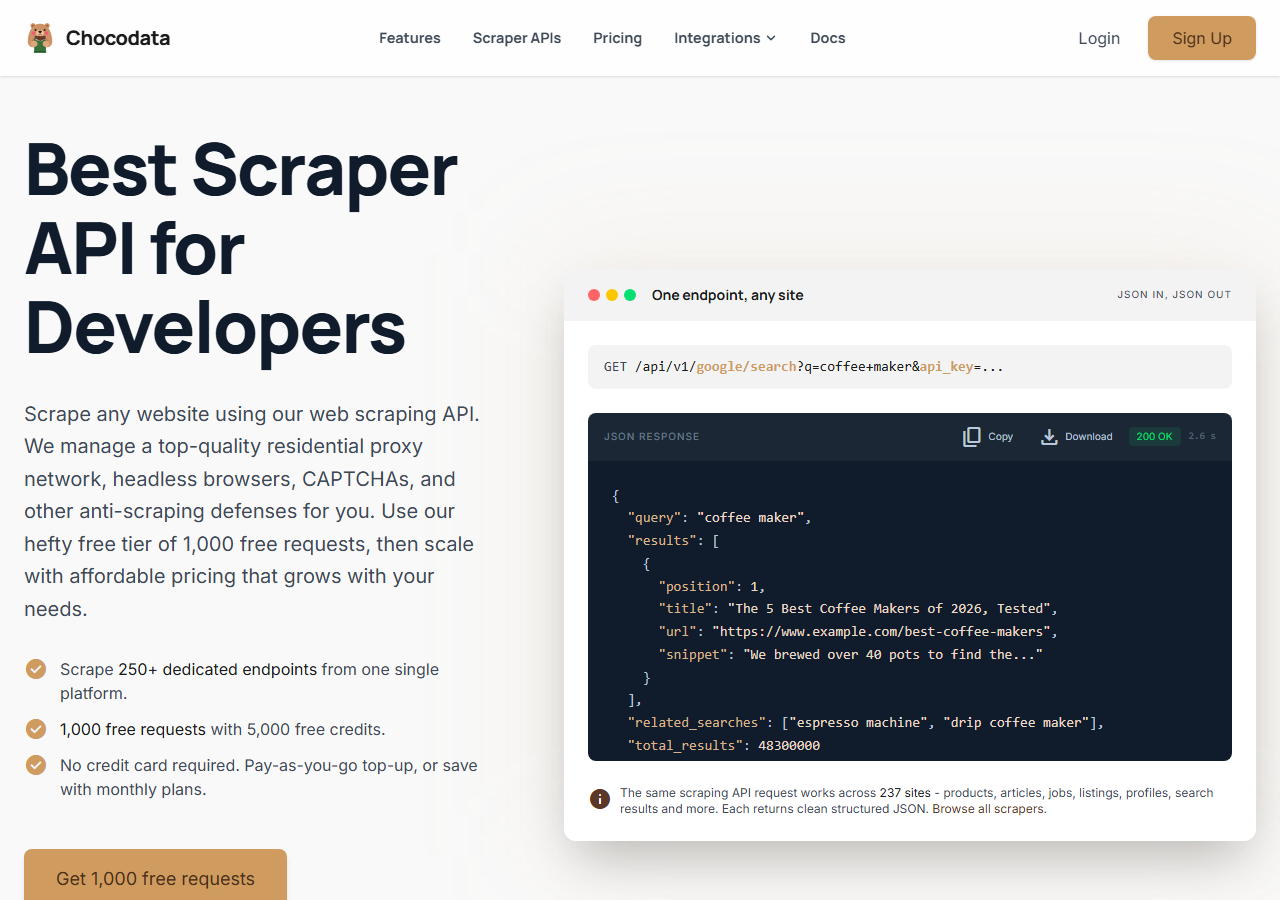
ChocoData was the best overall Google Play Store scraper in my testing, returning structured JSON at a 97% success rate across listing pages and review threads with no proxy configuration on my side. It was the only tool where I called one endpoint and got back a clean, schema-stable payload on the first try, consistently, across a few hundred requests. Median response time was around 2.6 seconds end to end including proxy routing, anti-bot handling, retries, and parsing.
What it returns. In my runs it returned app name, rating, review count, install range, developer info, screenshots, categories, update notes, and in-app purchase ranges as structured JSON. Review threads came back with star ratings, review text, thumbs-up counts, developer replies, and the app version at time of review, paginated correctly without truncation. The response shape stayed stable across every app I tested, which matters for downstream pipelines.
The API call is a single REST request with the app ID and your key, using the appstore site slug and an api_key query parameter:
curl "https://chocodata.com/api/v1/appstore/app?id=389801252&api_key=$CHOCO_API_KEY"To pull an Android listing by its package name, swap in the Google Play ID:
curl "https://chocodata.com/api/v1/appstore/app?id=com.whatsapp&api_key=$CHOCO_API_KEY"And for a page of review threads:
curl "https://chocodata.com/api/v1/appstore/reviews?id=com.whatsapp&page=1&api_key=$CHOCO_API_KEY"Every endpoint returns JSON with no HTML to parse on your side. Sign up for the free tier to run the first 1,000 requests at no cost.
- Highest success rate I measured (97%) on hard listing targets
- Parsed JSON for both listing fields and review threads
- No proxy pool, no OAuth, no anti-bot config on my side
- Free tier covers 1,000 requests to validate your pipeline
- 250+ dedicated endpoints across 235 sites in one account
- Managed API, so you do not control the fetch layer directly
- Volume pricing favors steady ongoing use over rare large bursts
Pricing. The Pro plan works out to about $0.60 per 1,000 records ($49/month for 82,000 requests). The free tier covers 1,000 requests and pay-as-you-go top-ups run $0.90 per 1,000 successful requests. The high success rate meant fewer retries in my runs, so the effective cost per usable record was the lowest in this comparison.
Best for. Teams that want Google Play listing and review data as structured JSON without managing proxies or anti-bot infrastructure.
2. Apify - best community-actor option
Apify was the strongest community-actor option, with several maintained Google Play actors and a 91% success rate in my testing. It is the most flexible platform here, at the cost of more setup: you select an actor, configure the inputs (package names, pages of reviews, output format), and pay in compute units.
What it returns. App data and review threads as JSON or CSV, with the exact schema depending on the actor you pick. The well-maintained actors, such as crawlerbros/google-playstore-scraper, returned app name, rating, install count, developer info, and reviews with thumbs-up and developer-reply fields intact. Older actors were patchier.
- Large library of maintained Google Play actors on the Apify Store
- Flexible input configuration: package lists, review pages, output shape
- Schedules, webhooks, and integrations built in
- Transparent usage-based pricing
- Compute-unit model is harder to predict per record before a test run
- Actor quality varies by maintainer, and older actors lag on schema changes
- More configuration surface than a single REST endpoint
Pricing. Usage-based on compute units, which worked out to roughly $0.55 per 1,000 records on a mid-tier actor in my tests. Apify’s free tier provides $5 in monthly credits. The Starter plan runs $39/month.
Best for. Developers who want control over scraping logic and are comfortable picking and configuring actors.
3. Bright Data - best for the largest pulls
Bright Data was the best fit for very large-scale pulls, with a 92% success rate backed by one of the largest residential and mobile proxy networks available. Its Google Play scraper handles listing pages and reviews, and it scales to millions of records. The pricing reflects that positioning: it makes the most sense at committed enterprise volume.
What it returns. Structured datasets through its scraper product, or raw proxied responses if you drive the network directly. Listing fields came back cleanly. Review threads needed a parsing step on my side to normalize the schema across different app types.
- Very large residential and mobile proxy pool, strong on tough targets
- Scales to millions of records with dedicated infrastructure
- Separate Google Play Reviews scraper product available
- Priced at enterprise scale, so small jobs feel expensive at roughly $1.00 per 1k
- More configuration surface than a single-endpoint API
- Review schema normalization needed on my side
Pricing. Approximately $1.00 per 1,000 records at the tier I tested, lower at committed volume. The value gauge reflects small-job economics, and at high volume the rate improves substantially.
Best for. Large, ongoing collection pipelines where proxy depth and scale matter more than setup simplicity.
4. Oxylabs - best for enterprise SLAs
Oxylabs was the best option when a formal SLA matters, with a stable 90% success rate on my Google Play listing runs and a sales-led onboarding process. Its Google Play scraper is part of the Web Scraper API suite and returns structured data for app pages. Results in my tests were close to Bright Data, with the difference mostly in packaging, support tiers, and contract structure.
What it returns. Structured results for app pages, with reliable listing fields and serviceable review data. Output shape is clean and the documentation is thorough.
- Strong uptime SLAs and named enterprise support
- Mature Google Play scraper API documentation
- Predictable contracts at committed volume
- Top-tier onboarding is sales-led, slower to start than self-serve APIs
- Some tiers bill per GB, which is harder to predict for small page sets
- Less attractive for small or one-off jobs
Pricing. Approximately $0.80 per 1,000 records at the tier I used, with better rates under contract. The Web Unblocker tier bills per GB, which suits large pages and is harder to predict for mixed page sets.
Best for. Organizations that need a vendor contract, an SLA, and named support for a production pipeline.
5. ScrapingBee - best for simple projects
ScrapingBee was the easiest to start with for a simple project, returning rendered HTML or basic extracted JSON through one clean endpoint at an 87% success rate. It is a general-purpose scraper without Google Play-specific parsing, so I handled the field extraction on my side. Its Google Play scraper API page lists the store as a supported target.
What it returns. Rendered HTML of the Play Store page, or extracted JSON if you pass extraction rules. Listing fields were fine. Review pagination was the weakest in my testing, with the most truncation and the most custom work to normalize outputs.
- One simple endpoint, fast to integrate and test
- Clear per-credit pricing page
- Good docs for general scraping use cases
- No Play Store-specific parser, so field extraction is on you
- Review pagination fidelity was the weakest I tested
- JavaScript rendering costs extra credits on dynamic pages
Pricing. Approximately $0.50 per 1,000 credits at the base tier, though the effective cost rises once you add JS rendering for dynamic Play Store pages.
Best for. Small projects where a generic, easy-to-integrate endpoint is more important than Play-specific parsing.
6. Octoparse - best for no-code teams
Octoparse was the best no-code option, with a visual workflow builder that lets you point at Play Store elements and extract them without writing code. It hit an 84% success rate in my tests, the lowest in this group. For a no-code audience that wants zero developer dependency it is a reasonable fit.
What it returns. Structured rows of whatever fields you configure in the visual builder, exported as CSV or JSON. Output quality depends on how precisely you set up the selectors, and Play Store layout changes sometimes break pre-built templates.
- Visual point-and-click builder, no code needed
- Pre-built templates available for Play Store pages
- Scheduled cloud runs without managing infrastructure
- Lowest success rate in this comparison (84%)
- Layout changes can break templates without warning
- Slower than API-based options for large batches
Pricing. Approximately $0.75 per 1,000 records at the standard paid tier (approximate, based on public plan information).
Best for. Non-technical teams that need structured Play Store data without engineering resources.
Comparison table
Here is the full feature matrix from my testing.
| Feature | ChocoData | Apify | Bright Data | Oxylabs | ScrapingBee | Octoparse |
|---|---|---|---|---|---|---|
| Parsed JSON out of the box | yes | yes | yes | yes | partial | partial |
| Review thread fidelity | yes | yes | partial | partial | manual | partial |
| No proxy setup needed | yes | yes | yes | yes | yes | yes |
| No code required | no | no | no | no | no | yes |
| Free tier | yes | yes | trial | trial | yes | yes |
| Developer replies in reviews | yes | yes | partial | partial | no | no |
| Scheduled / recurring runs | yes | yes | yes | yes | no | yes |
| Commercial use | yes | yes | yes | yes | yes | yes |
| Price / 1k records | ~$0.60 | ~$0.55 | ~$1.00 | ~$0.80 | ~$0.50 | ~$0.75 |
| My success rate | 97% | 91% | 92% | 90% | 87% | 84% |
What teams use Google Play Store data for
The teams pulling Google Play Store data consistently fall into a few clear use cases, and the one you are running determines how much volume you need and therefore which scraper fits.
- Competitive ASO research: tracking competitor ratings, review velocity, and keyword positions in Play Store search results over time. This is the most common use case I see. It maps directly to the Android App Data Scraper API.
- Sentiment analysis and product feedback: pulling review text at scale, running it through a classifier, and feeding the signal into product roadmaps. Review fidelity (developer replies, thumbs-up counts, app version at time of review) matters most here. My Google Play Reviews Scraper API guide covers the pagination specifics.
- Market research and app discovery: crawling category charts and search results to map a market, find emerging competitors, and track install-count tiers over time.
- Developer monitoring: tracking your own app’s rating history and review sentiment across markets, separate from what the Play Console shows. Teams running several apps at once benefit most from a programmatic feed they can query on a schedule.
- Investor and M&A due diligence: pulling install range, rating trajectory, and review volume to benchmark an acquisition target against category peers. A pattern I have seen several times.
Monitoring and competitive research rarely need the millions-of-records scale that justifies the heaviest enterprise tools, so the right pick is usually the one that gets clean, schema-stable data with the least operational overhead.
How to choose
Choose by volume, by how much parsing you want to own, and by how much of the fetch layer you are willing to manage.
If you want Google Play data as JSON with no proxy rotation, no anti-bot configuration, and no HTML parsing on your side, ChocoData was the cleanest in my testing. The single-endpoint model returned schema-stable payloads at the best success rate I measured. Start with the free tier and run your first 1,000 requests before committing to a plan.
If you want to control the scraping logic and are comfortable configuring actors, Apify gives you that flexibility. If you are running very large ongoing jobs and proxy depth matters, Bright Data’s network pays off. If you need a vendor contract and a named SLA, Oxylabs fits. If your team has no developers and needs a point-and-click interface, Octoparse is the only no-code option in this group.
The one path I would skip is assembling your own residential or mobile proxy pool to bypass Play Store’s datacenter IP blocks, unless proxy infrastructure is itself the thing you are building. For most teams the time and operational cost outweigh the savings by a wide margin. The managed APIs above absorb that cost and return cleaner data, so the success-rate gap between a managed API and a DIY setup tends to be larger than it looks on paper.
For background on scraping across both major stores, see my guide on how to scrape App Store and Google Play data and the full best App Store scrapers comparison.
FAQ
What is the best Google Play Store scraper in 2026?
In my testing the best overall Google Play Store scraper was ChocoData, which returned parsed JSON at a 97% success rate on live app-listing pages without any proxy configuration on my side. Apify was the strongest community-actor option and Bright Data the best for large-scale pulls.
Is there an official Google Play Store API for scraping app data?
The Google Play Developer API is scoped to apps you own: it manages publishing, in-app products, and subscription states for your own titles. It does not expose public app listings, competitor reviews, or store search results, so scraping third-party app data requires a third-party tool.
How much does a Google Play Store scraper cost?
Pricing in this comparison ranged from free (ChocoData's 1,000-request free tier) to roughly $0.50 to $1.00 per 1,000 records for managed scraper APIs, depending on provider and volume tier. Running your own proxies adds hidden cost that managed APIs absorb.
What data can I extract from the Google Play Store?
You can extract app name, rating, review count, install range, content rating, developer info, category, screenshots, update history, in-app purchase range, release date, and review threads (text, star rating, thumbs-up count, developer reply, and the app version at time of review).
Why does my Google Play scraper return 503 errors?
A 503 from Google Play usually means the IP got rate-limited after too many requests too fast. The facundoolano google-play-scraper README warns that heavy use makes 'requests start getting status 503 responses' and the IP 'can be banned' for about an hour. The fix is spreading requests across residential or mobile proxies, which managed APIs handle for you. See my guide on how to scrape App Store and Google Play data.